Supporting each camper
Group and room transfers, temporary departures and returns, and documents attached to the camper record.
Psychological and educational assessments are restricted to specialists.
For residential camps and youth programmes
Manage camper groups, room assignments, health care and off-site trips in one place. Staff update records from their phones, keeping counsellors, the health team and catering staff informed.
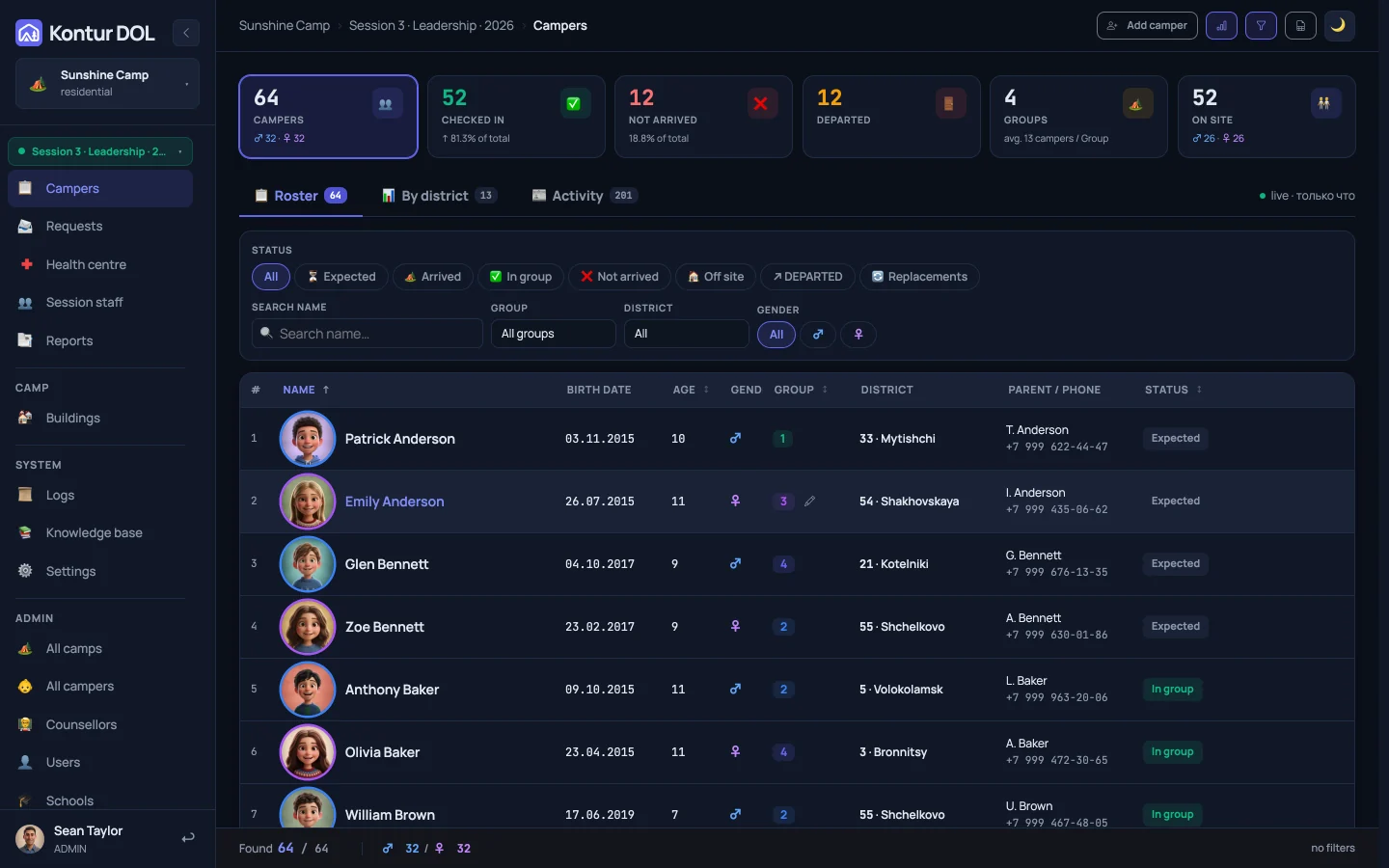
Used throughout the camp season
12
sessions in 2026 at two camps in the Moscow region, Russia
5 000+
campers recorded over the season
up to 700
campers in one session, across 26 groups
6
categories of health centre visits, summarised for each session
Managing a session
Manage each camp session from check-in to departure.
Each staff member has their own account and access based on their role. Approvals, reminders and reports draw on the same camper records.
“Who changed this?”
For the directorA counsellor spots a discrepancy and submits a request. An administrator reviews the request, and the record shows who made the change and why.
“Nobody told me”
For the directorEach reminder has rules: who receives it, when it repeats and who handles escalation. The log records both delivery and response.
“The numbers don’t match”
For camp owners and operatorsArrivals, absences and meal counts come from the session’s records. Reports reach their recipients on schedule.
On every staff member’s phone
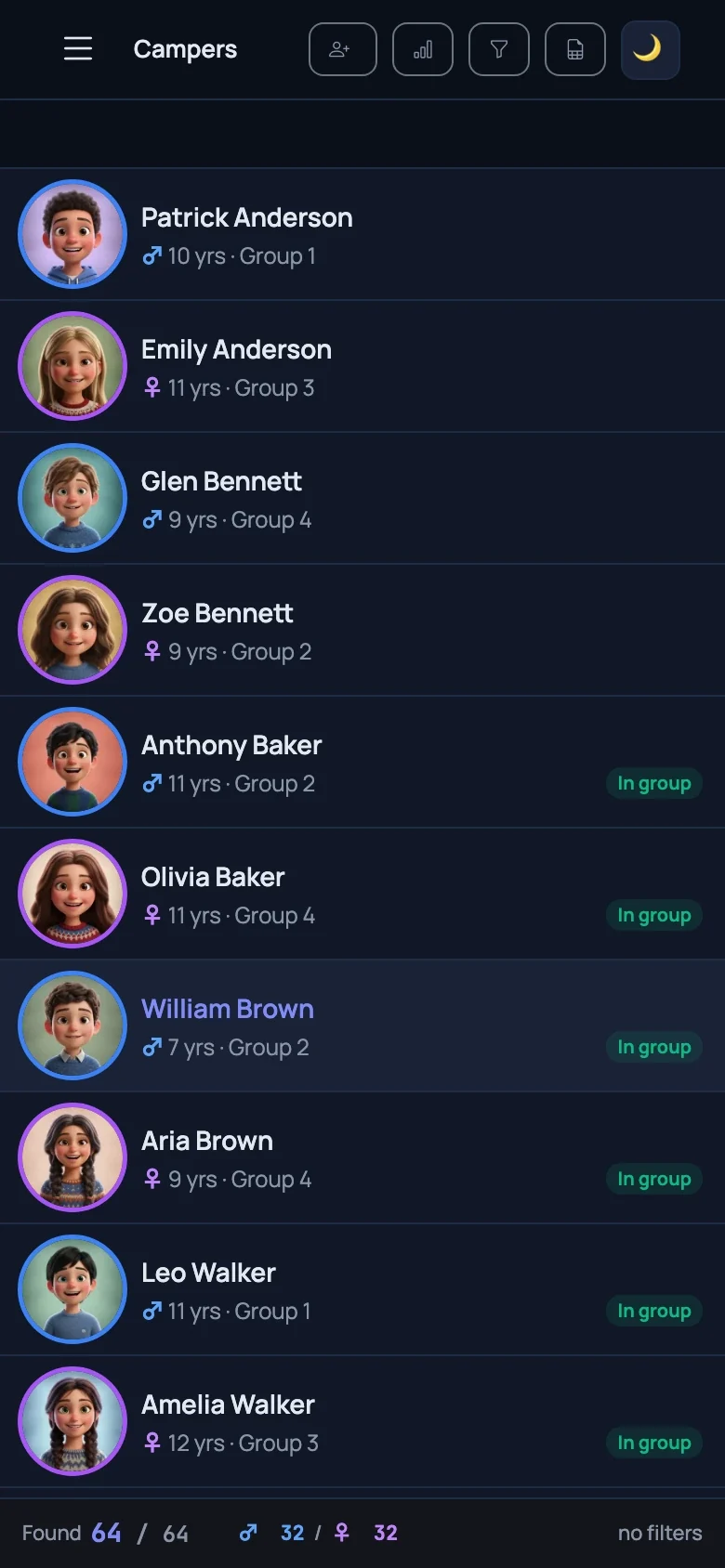
Your camp session at a glance. Check in a camper with one tap and the attendance totals update immediately.
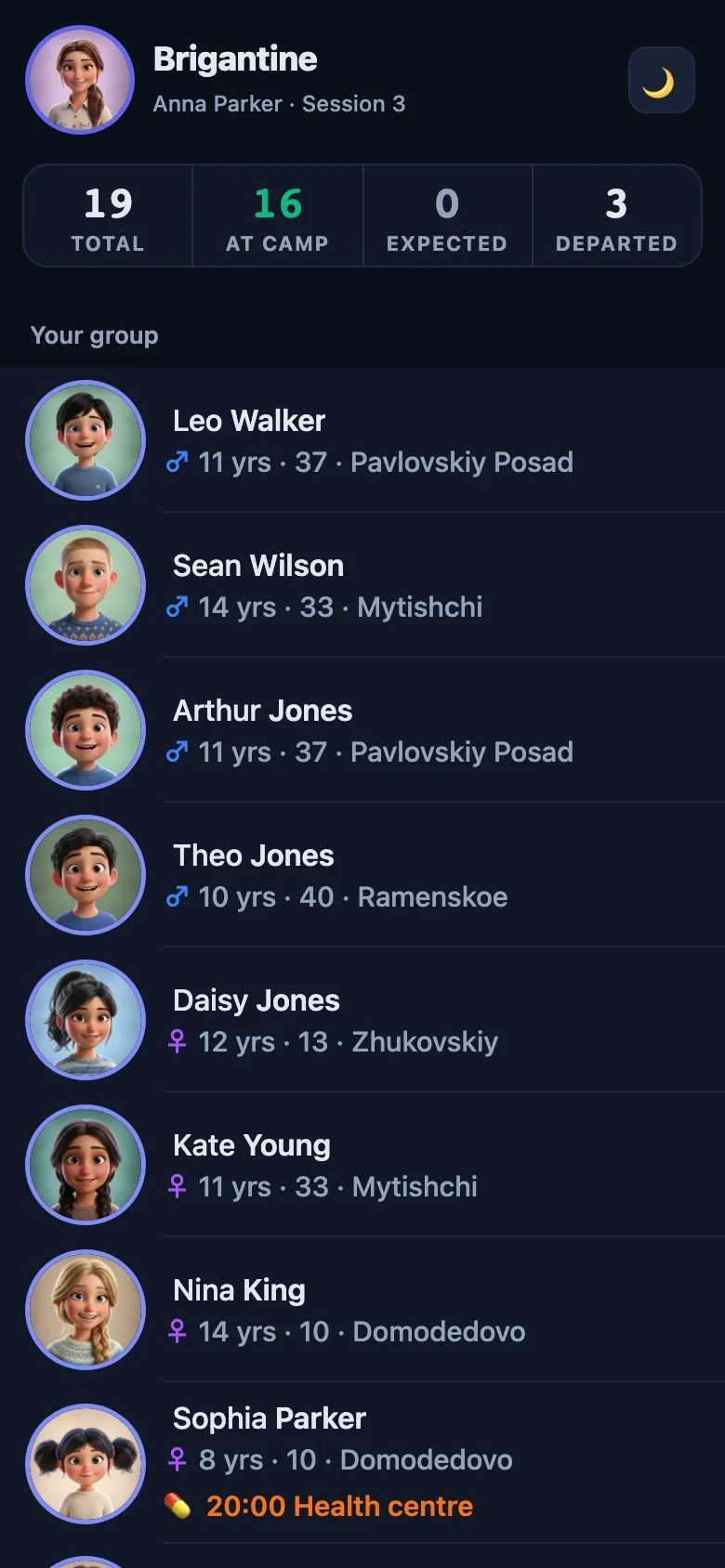
Manage your group from your phone. View camper photos, confirm group handovers, log health centre visits and request off-site trips.
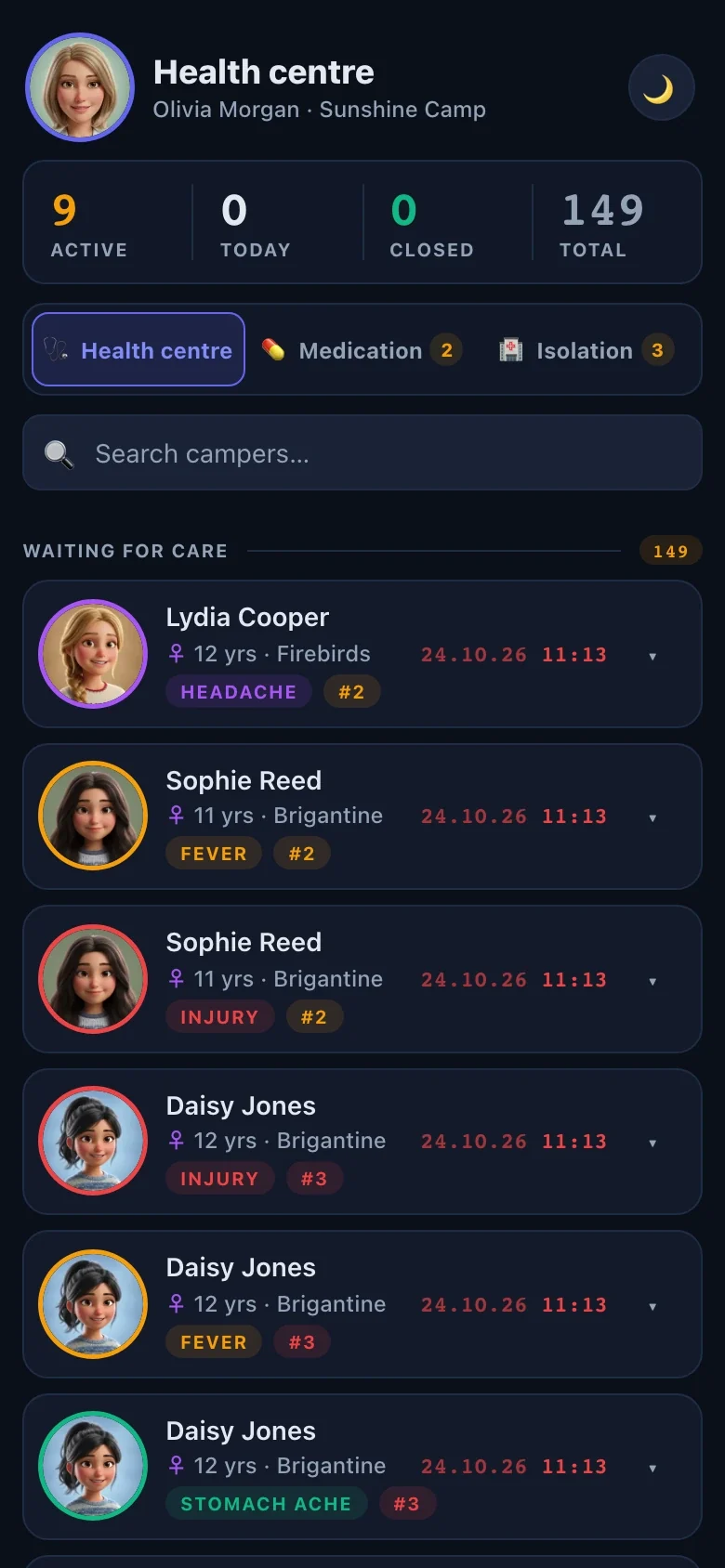
The health centre in one app. Record diagnoses and prescribed medication by typing or dictation. Reminders tell health staff and counsellors when a camper is due for treatment or medication. Keep separate care logs for campers in isolation rooms.
Features
Each department has its own workspace, with shared records across the camp.
Group and room transfers, temporary departures and returns, and documents attached to the camper record.
Psychological and educational assessments are restricted to specialists.
Plan activities for each day, assign staff and keep camper lists for off-site trips.
Maintenance — submit a repair request with a photo, a due date and an assigned staff member. The person who reported the issue confirms when it is resolved.
Housekeeping — request cleaning, cups and bathroom supplies.
Medication schedules, health centre visits and care logs for campers in isolation.
Health staff and camp management can see diagnoses and prescriptions. Counsellors cannot.
Parents can complete a registration form via QR code. It goes straight into the system, alongside arrival and departure records, groups, buildings and rooms.
Meal counts, age groups, arrivals and departures.
Messenger notifications and phone calls with keypad confirmation.
The counsellor and health staff apps handle temporary connection interruptions.
Eight staff access roles, with a record of changes kept for two years.
Previous sessions, health centre visits and notes are already in the camper’s record.
Director’s assistant
A digital assistant in your staff chat answers questions, prepares summaries and follows up on tasks until they are complete.
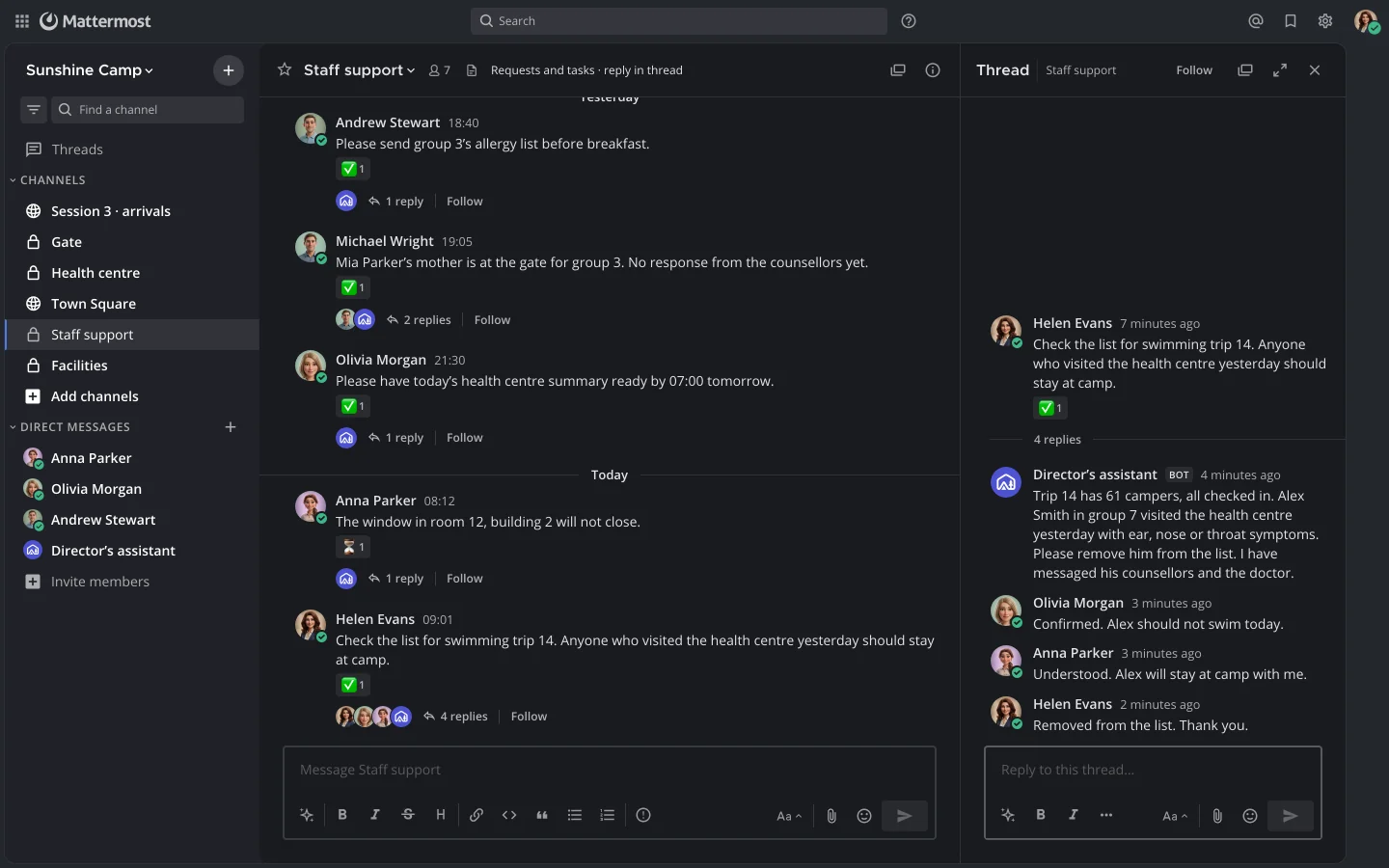
Mattermost is your camp’s staff messaging app, hosted alongside the system. Messages and files stay on that server, with separate channels for the gate team, health centre, facilities and check-in.
Check the camper list for swimming trip 14. Anyone who visited the health centre yesterday should stay at camp.
Trip 14 has 61 campers, all checked in. One camper in group 7 visited the health centre yesterday; please confirm whether they should stay at camp. I have contacted the group’s counsellors and the doctor.
Counsellor They will stay at camp with me.
Doctor Confirmed.
Director Removed from the list.
This example uses a three-minute response target. Staff confirm completion in the same message thread.
Scheduled
On request, at any time
Staff request summaries in the staff chat. The assistant can retrieve only the information it has permission to access.
It does not delete other people’s messages, change access rights or speak on someone else’s behalf.
The assistant needs the camp director’s permission to make calls or take action in the live system. The director approves critical decisions.
More about staff messagingCamp communication
Set up alongside the system. Staff communicate by session and department, receive notifications and approve requests in their channels.
Each organisation has its own server running the system and Mattermost. Messages and files are stored there. Notifications sent to messaging apps contain no diagnoses.
Discussions are organised by session and department, with replies in threads. Mobile apps and calls are available.
Staff sign in to the system through Mattermost. Adding a staff member creates an account in both the system and the messaging app.
Approve counsellors’ requests using buttons in the message, without leaving the conversation.
Staff choose their notification channel, including Mattermost and other supported messaging apps.
Notifications contain no diagnoses or prescriptions. Health centre notifications show only the general reason for a visit.
Camper data
Access follows staff responsibilities. Health information is restricted, and changes to camper records are logged. International deployment requirements are discussed for each organisation.
Registration includes documents from the parent or legal guardian and their consent to data processing.
Parents can register a camper for a session in advance via QR code.
Counsellors see their own group, health staff use the medical workspace and security sees arrivals at the gate.
The counsellor brings the camper to the health centre but cannot see the diagnosis or prescribed medication.
Each change to camper details records who made it, when, and the old and new values. The log is kept for two years.
Diagnoses and prescriptions are stored encrypted, separately from the rest of the camper record.
Questions
What works today, how staff use it and what happens to the data after a session.
It is in use. Launched in 2025, the system ran for the full 2026 season at two camps in the Moscow region, Russia: 12 sessions and over 5,000 campers. Counsellors, health staff and administrators used it daily. Screenshots show the real interface with English labels and fictional demo data prepared for this presentation.
The interface follows familiar phone-app patterns. Counsellors confirm the campers in their care, mark tasks as complete and send requests with photos. Reminders arrive as messages in their staff chat.
Access is role-based, changes are logged and diagnoses are encrypted. See “Personal data and access”.
The counsellor and health staff apps handle temporary connection interruptions and load updates when the connection returns.
Each camp is separate: administrators, health staff and counsellors see only their own camp. The director responsible for all camps can view each one.
No. Parents do not sign in to the system; there is no parent portal or parent notification service.
Staff access to a session is disabled when it closes. The camper’s history is retained and becomes available when they return the following year.
The systems can run alongside each other. Health centre operations, medication schedules, isolation rooms and facilities requests can be introduced separately, using camper lists imported from your spreadsheet.
Meet the team
Tell us where your camp operates, how many campers attend each session and which parts of day-to-day camp management you want to improve.
By using chat, you agree to our data processing terms. Read our Privacy Policy.
 Telegram